Vigor
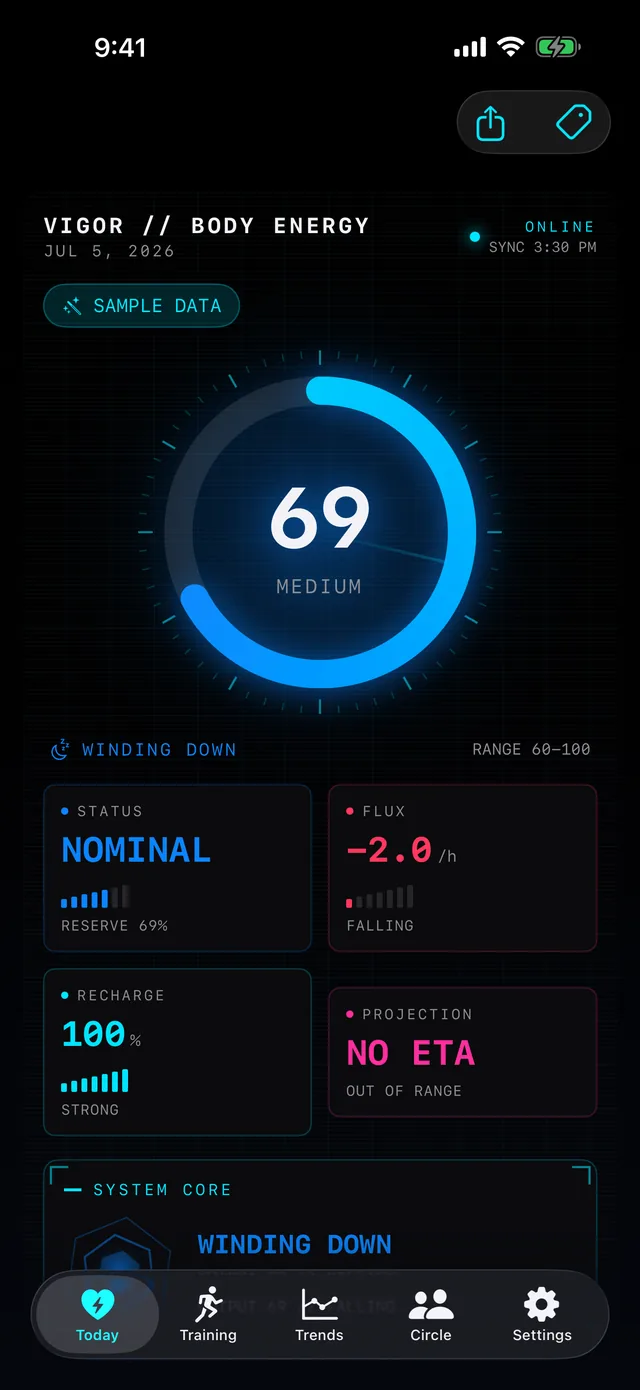
Your whole day on one energy curve - built from whichever tracker you wear, computed on your phone.
Pay once - USD 2.99. No subscription.
A wellness tool, not a medical device.
Your whole day on one energy curve - built from whichever tracker you wear, computed on your phone.
Pay once - USD 2.99. No subscription.
A wellness tool, not a medical device.
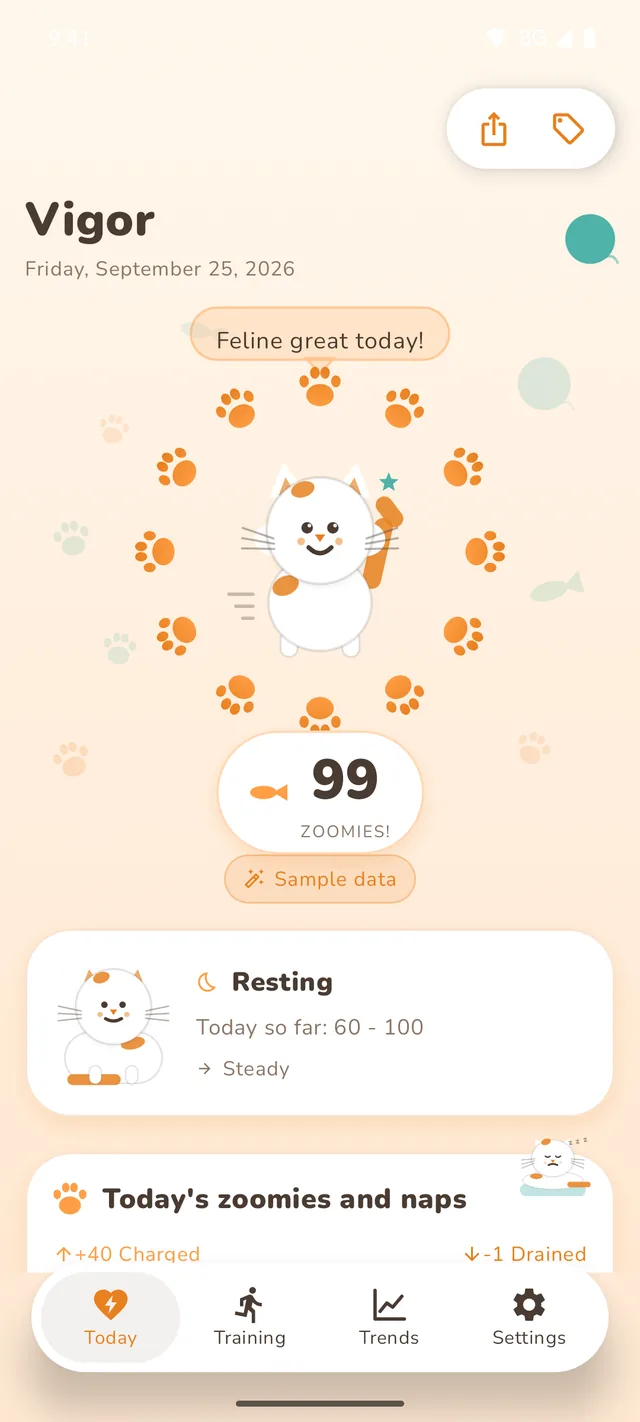
Vigor reads the health data your fitness tracker already collects, from Apple Health on iPhone or Health Connect on Android - any watch, ring or app that writes there works, a Garmin, Oura, Whoop, Fitbit, Polar or Withings device included: heart rate variability, heart rate, resting heart rate, sleep and its stages, and workouts. It turns that into a single body-energy score from 0 to 100. The signature view is the day curve: your whole day drawn as one line that charges while you rest and drains while you push, with markers for sleep, workouts, and stress, so you can see at a glance whether to push hard or take it easy. Underneath it, Vigor learns your own body clock - the hours you really sleep, recover and run warm - instead of assuming a standard rhythm.
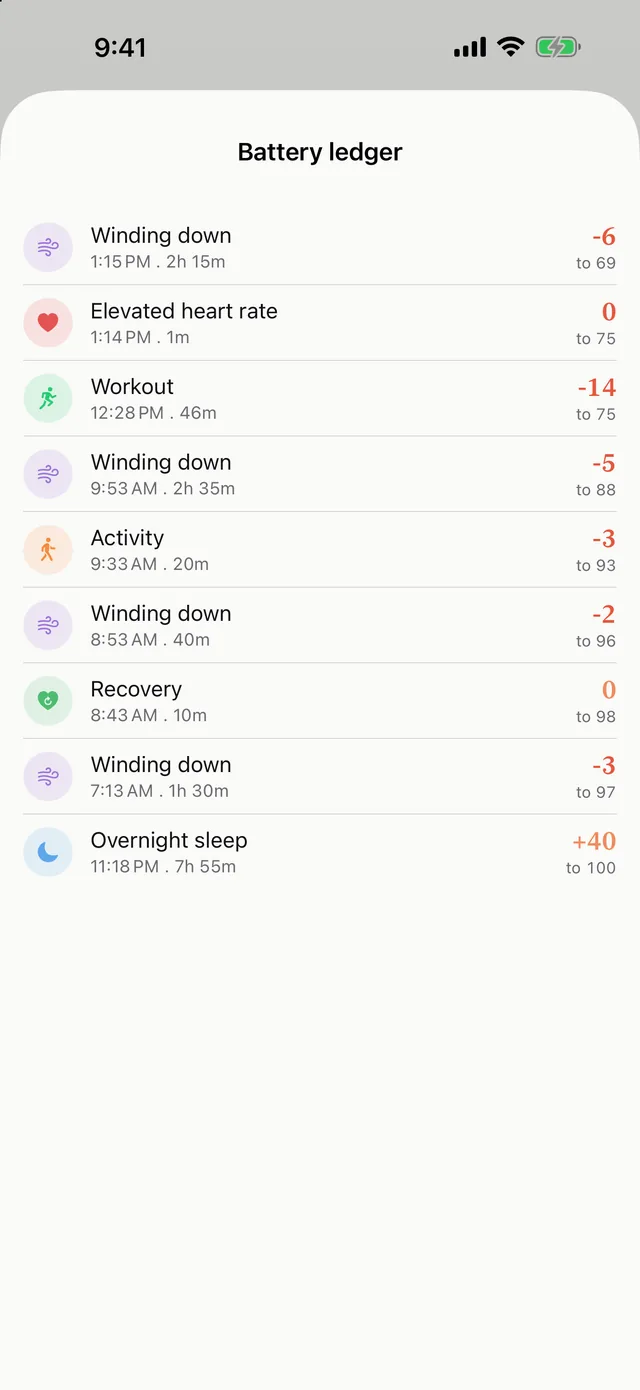
Your whole day as one line, with an activity band and tappable markers for sleep, naps, and workouts. Tap any marker, or any row in the battery diary, to open its heart-rate zones or its sleep stages and cycles. A dash-dot line behind the curve shows your usual level at the same point of the day - the median of your own recent days, so you can see whether today is unusual for you, not against anyone else.
Yesterday evening flows into this morning: the score is a running balance across days, so your night picks up exactly where your day left off - like a real battery.
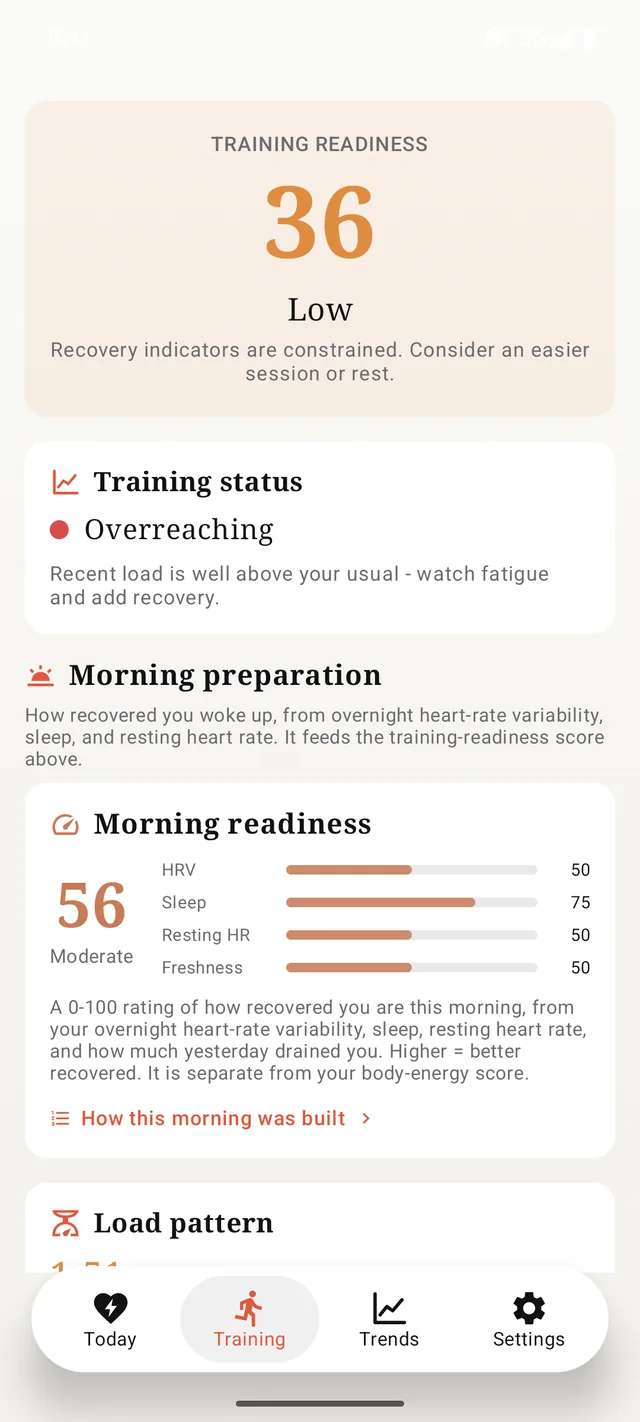
A 0 to 100 recovery score each morning, built from your heart rate variability, sleep, and resting heart rate - with clear green, yellow, and red zones.
A Training tab with a morning training-readiness score that blends your overnight recovery with your recent load; your long-term fitness against your recent fatigue, with a read on whether you are fresh, building, or overreaching, plus your VO2max trend; and your five heart-rate zones with how your sessions split across them.
A Body view with your cardio fitness (VO2max) and a fitness age, rated against people your age and sex; and your resting vitals - heart rate, HRV, breathing, blood oxygen, wrist temperature, walking and recovery heart rate - each with a 30-day trend you can scrub and a plain-language read.
See what tonight's sleep gives back, get an optional evening outlook before bed, and a morning briefing when you wake.
Tag alcohol, caffeine, sickness, or travel and the model adapts - so an off day reads as an off day, not a mystery.
Sensitivity presets (gentle, balanced, responsive), your own sleep need, a morning target, your preferred gauge style - and a light, dark, or follow-the-system appearance.
Modern, Kawaii, OLED, Nature, Neko (a chubby cat whose pose tracks your energy), Pixel (retro 8-bit), Silk (flowing fabric with a golden thread), and Formal (calm navy). Light and dark palettes; live previews.
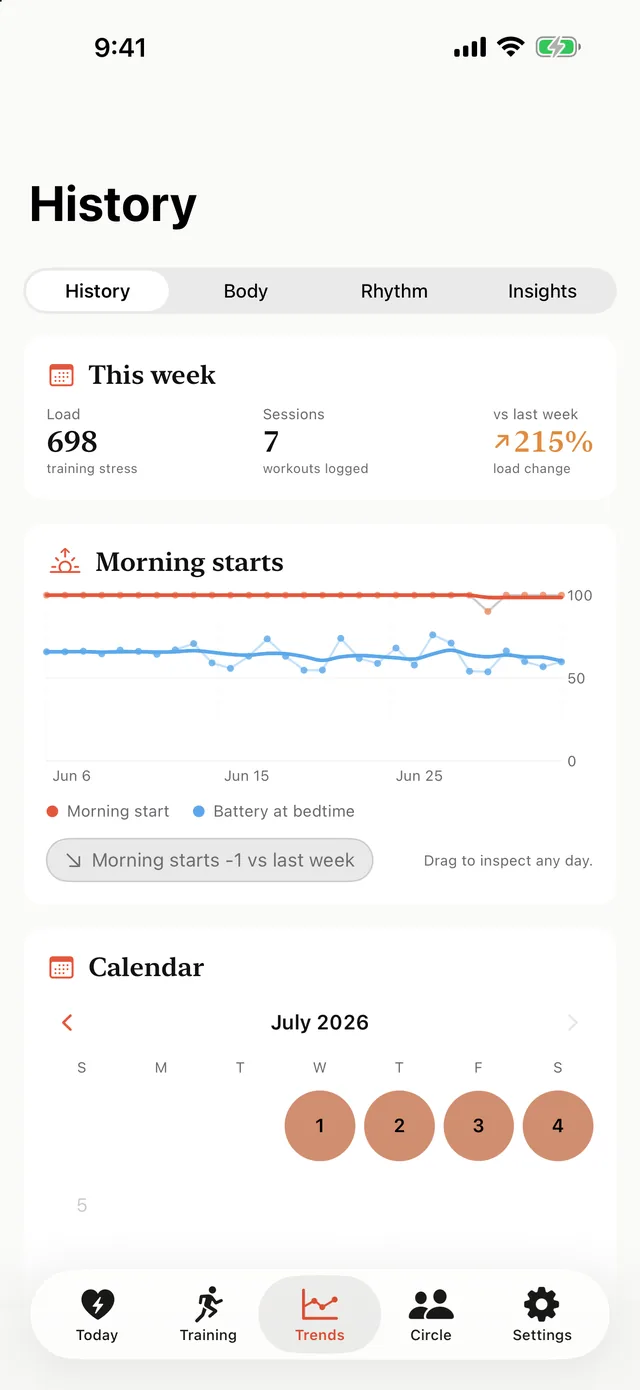
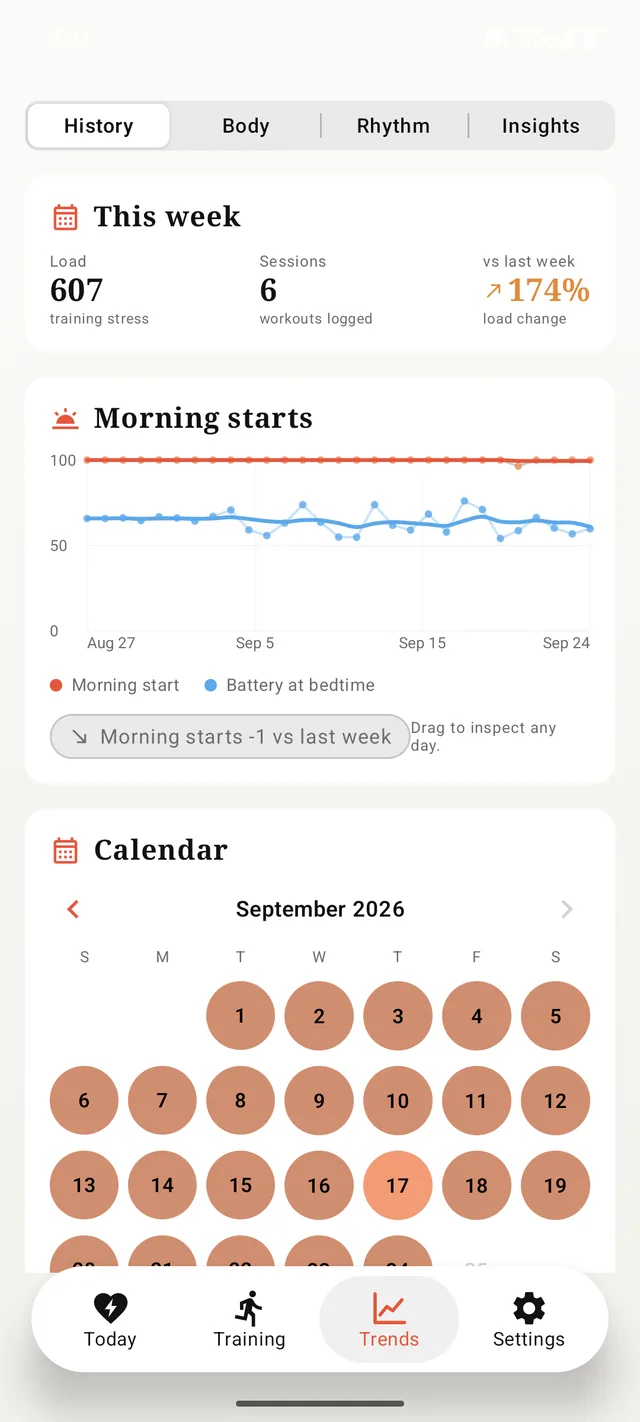
A month calendar where every day is one coloured dot, so a rough week reads as a patch of colour instead of rows you scroll past - page back through previous months and tap any day to open it. Plus a morning-start trend with a battery-at-bedtime curve, and, once you have enough history, a multi-year chart of your 7-day average morning start.
What your own data says about you: sleep versus morning start, the effect of a workout day, your best and worst weekday - and whether daylight moves your next morning. Each one waits until it has enough days to mean something, and says so rather than guessing.
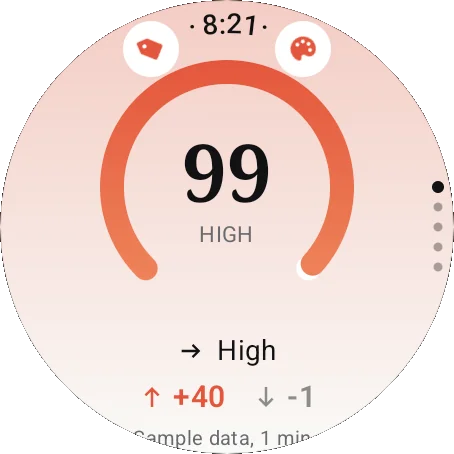
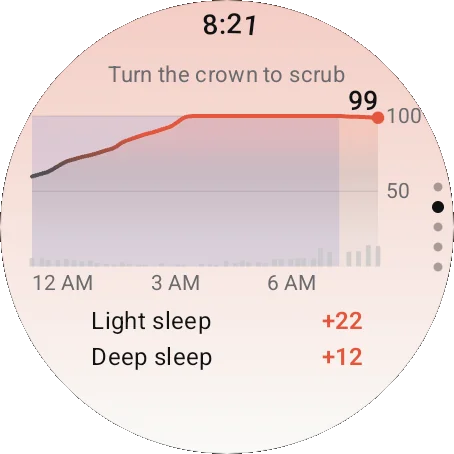
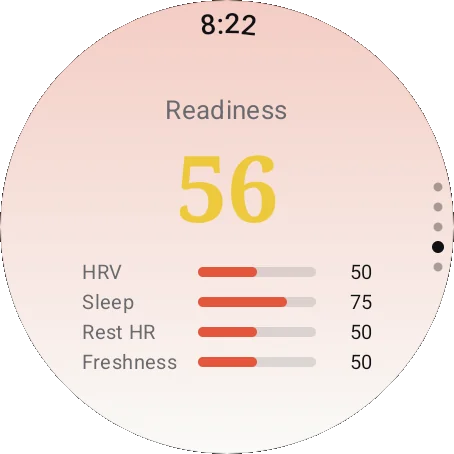
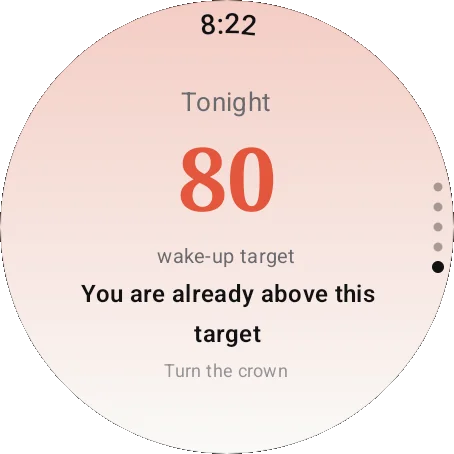
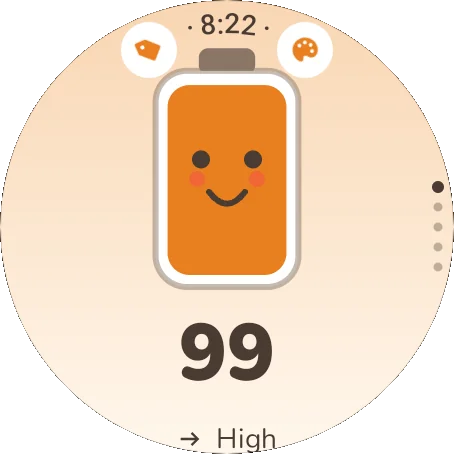
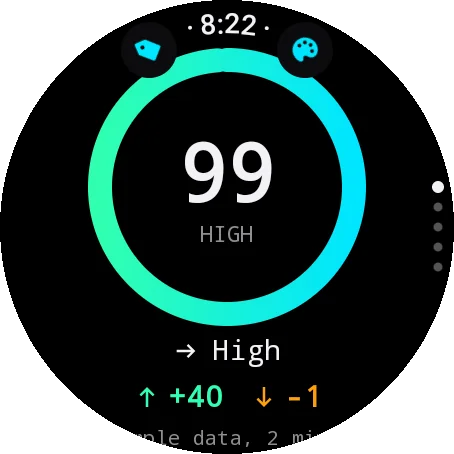
An optional watch app in five pages: your score with the day's charge and drain, the day curve you can scrub with the crown, a live page where your heart rate updates against the rate that recharges you, morning readiness with its inputs, and tonight's wake-up target. Complications dim honestly when the reading is old, and the whole wrist app is in all ten languages. Home Screen, Lock Screen, and StandBy widgets including a full-day-graph widget; a share card that carries your day curve. On Android: the same five watch pages and three watch-face complications, a home-screen widget in three sizes, and a Quick Settings tile.
Share your energy with individual friends, each a separate private connection - your friends never see each other. A join code only lets someone ASK; nothing is shared until you accept, and you choose separately what each person sees. Send a friendly nudge when someone runs low; only your name and score-derived values are shared, never your health data. Circles is on iPhone.
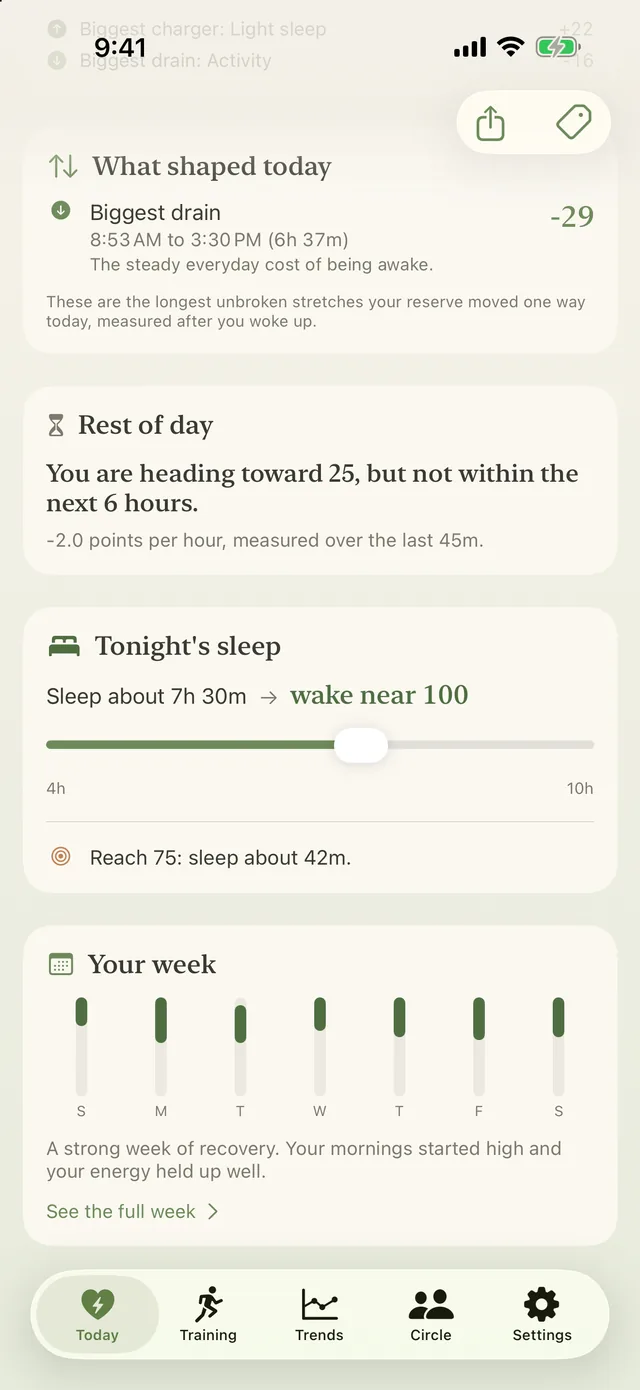
The day's biggest recharge and biggest drain, with real times and a plain reason for each; where the rest of your day is heading, drawn on the curve; and the full arithmetic behind this morning's starting number, step by step.
The curve carries a band showing how sure Vigor is - it widens when your watch was off and tightens when real data returns - plus how much of your waking day was actually measured, and where the longest gap was. Every estimate on the body-clock screen is labelled an estimate, and an hour it has barely seen is drawn faint rather than confident.
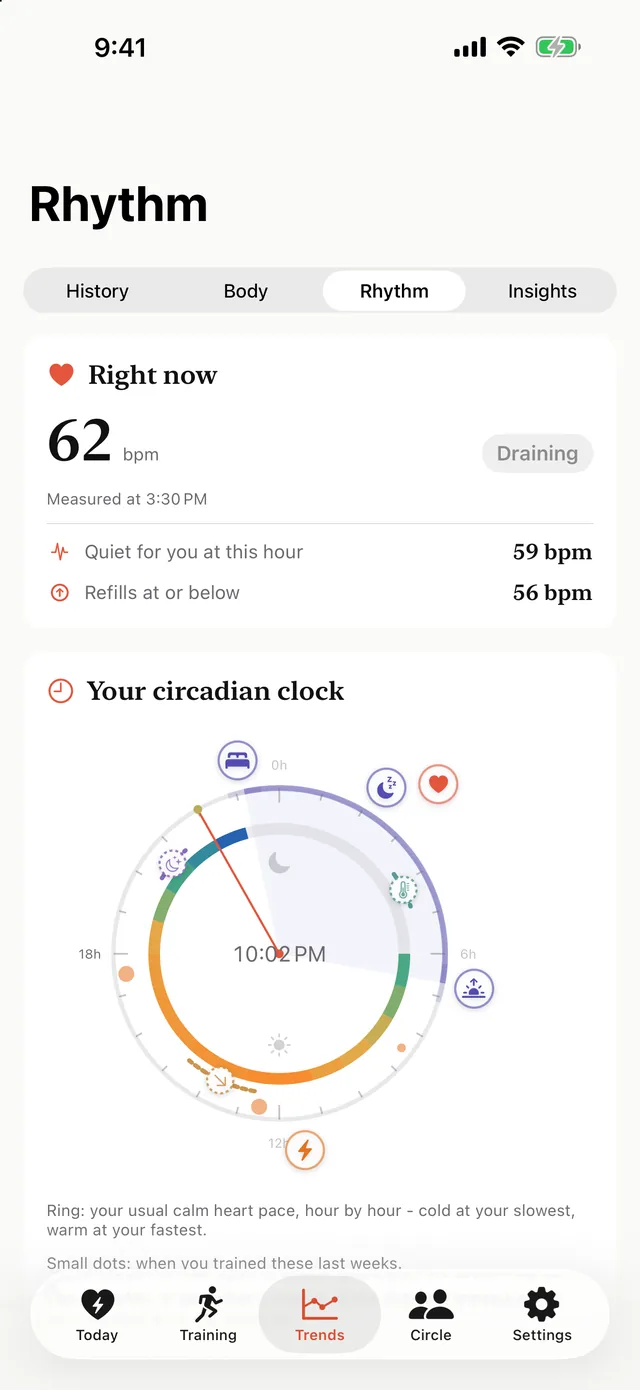
The calm heart rate your body actually rests at, hour by hour, learned from your own history - and the rate below which you are recharging. It is why the same heart rate means different things at 6am and 5pm.
A 24-hour clock face built from your own nights: when you actually fall asleep and wake, the hour your deep sleep concentrates, and the hour your sleeping heart rate bottoms out - alongside the melatonin, temperature-minimum and afternoon-dip windows, each clearly marked as a published average applied to your timing rather than something measured on you. With it: your chronotype corrected for catch-up sleep, how much your body clock shifts between work days and free days, how repeatable your sleep timing is day to day, and the shape of your daily rhythm fitted to your own readings - peak hour included, with how precisely your data pins it down.
All health processing happens on your phone. No account, no Vigor server, no analytics - your health data never leaves your own devices; the only thing you can choose to share is your energy score, through Circles on iPhone. Export everything Vigor computed as CSV or JSON, anytime.
Localized into 10 languages - and more to come after launch.
Every look has the same features - only the personality changes. Modern, Kawaii, OLED, Nature, Neko, Pixel, Silk, and Formal, each with light and dark palettes.
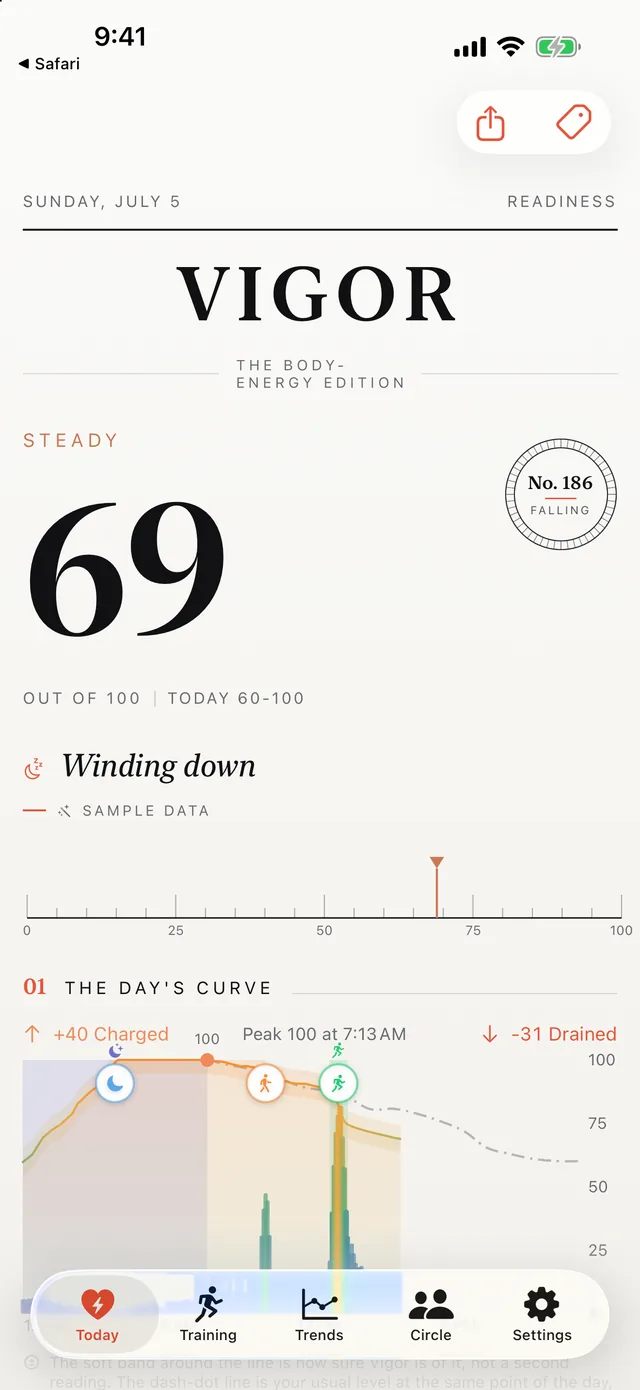
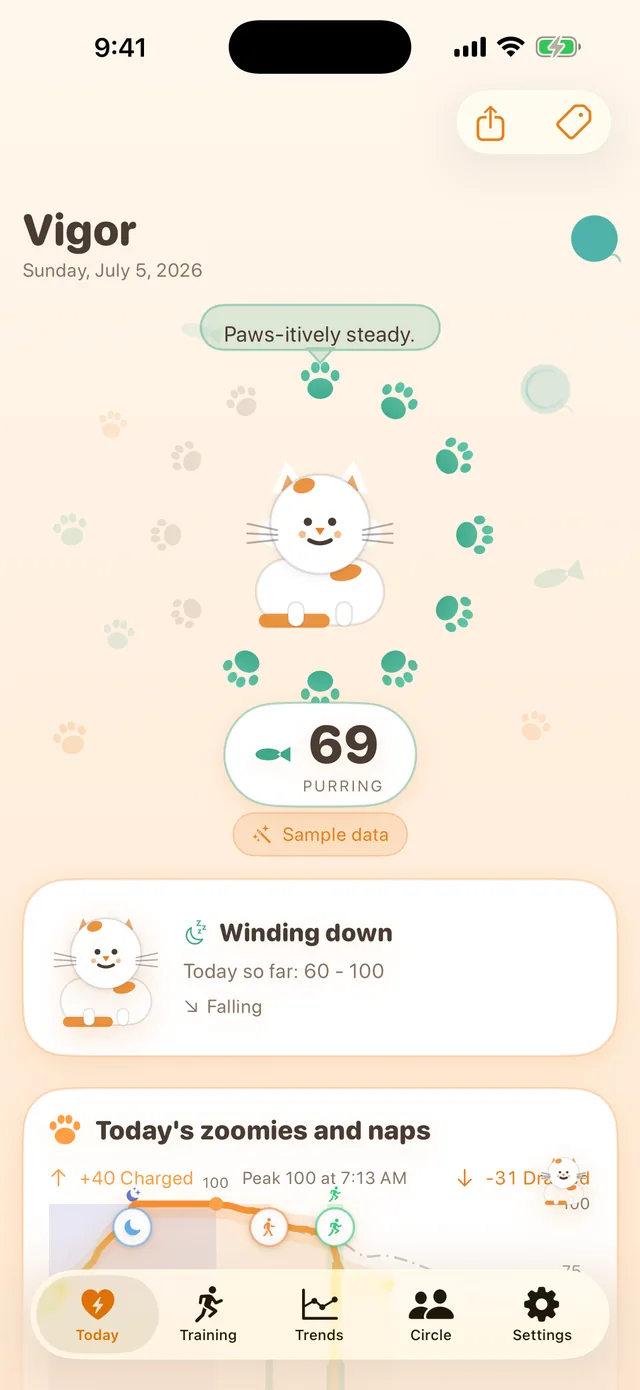
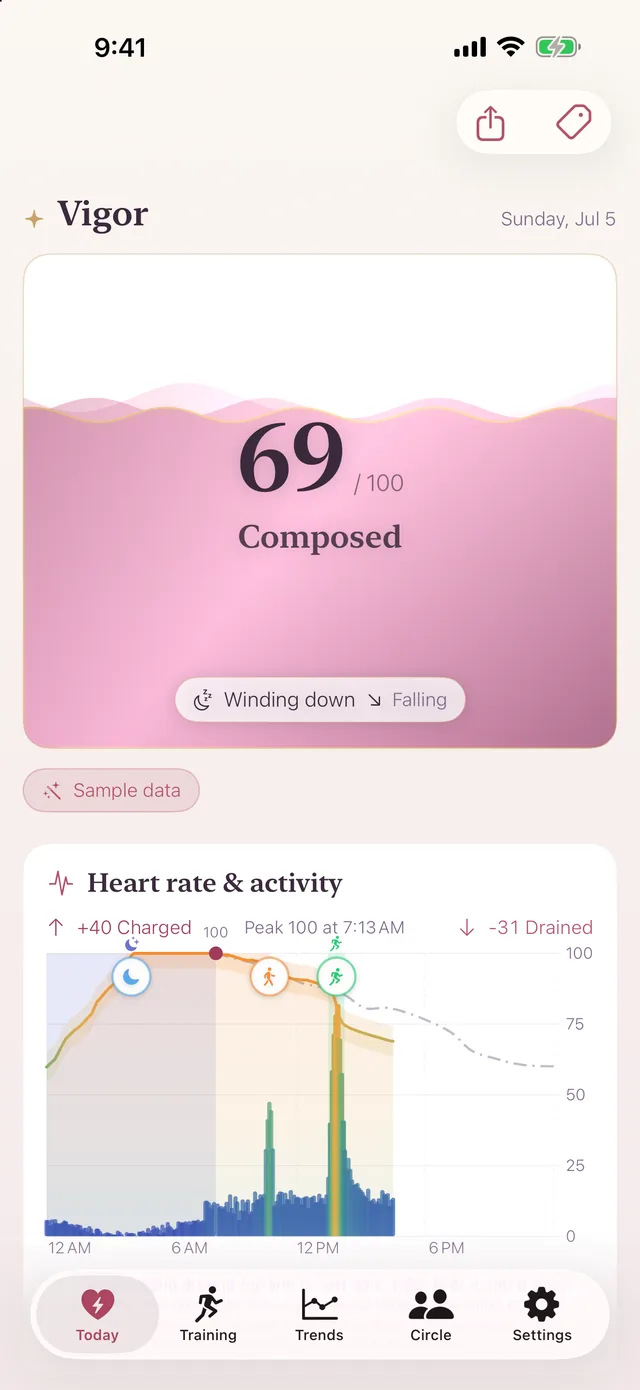
What charged and drained you, what tonight's sleep gives back, the patterns behind your good and bad days, and the daily rhythm Vigor measures on you rather than assuming.
One raise of the wrist shows your score with the day's charge and drain. Turn the crown for four more pages: the day curve, scrubbable point by point; a live page where your heart rate updates against the rate that recharges you; morning readiness with its heart, sleep and rest inputs; and tonight's wake-up target, which you dial with the crown. The watch mirrors the look you chose on the phone (or pick a different one on the wrist), complications keep the number a glance away, and the Smart Stack surfaces Vigor when it matters: mornings, after workouts, when energy runs low.
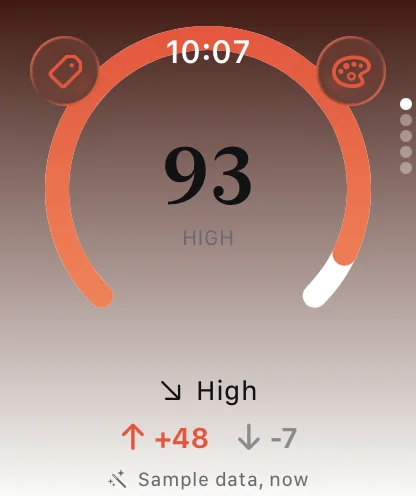
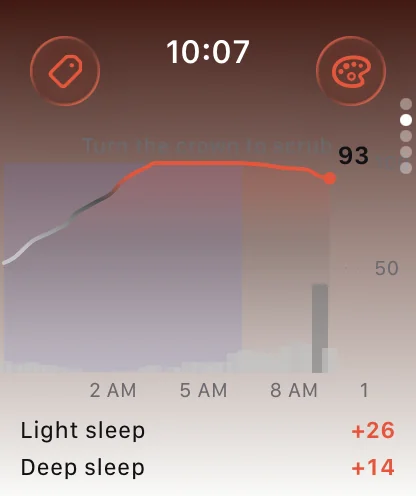
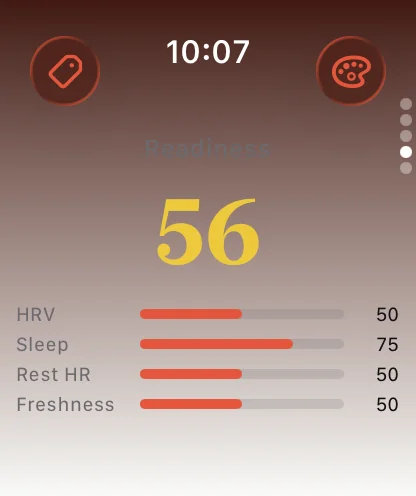
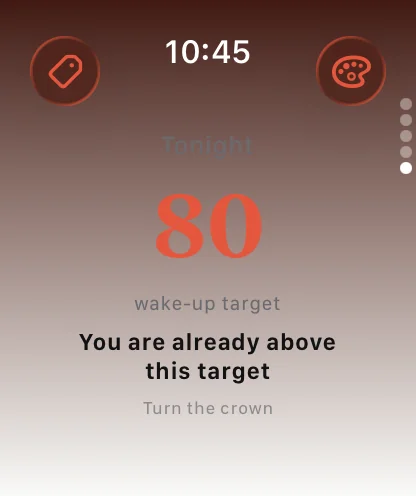
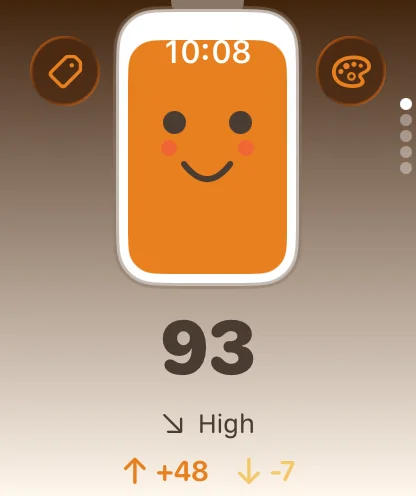
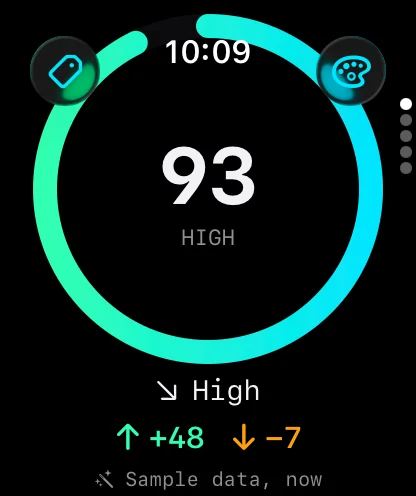
The same Vigor for Android phones, coming soon to Google Play: the same model, number for number, the same screens, the same eight looks, and the same ten languages. It reads Health Connect, so any watch, ring or app that writes your heart rate, heart rate variability, sleep and workouts there works. An optional watch app brings the five wrist pages - your score, the day curve on the crown, live heart rate, morning readiness and tonight's target - with complications for your score, tonight's sleep, and a one-tap caffeine tag. The watch shows what your phone computed and says how old it is. It needs Android 9 or later with Health Connect. Circles, the friend sharing, is on iPhone only.
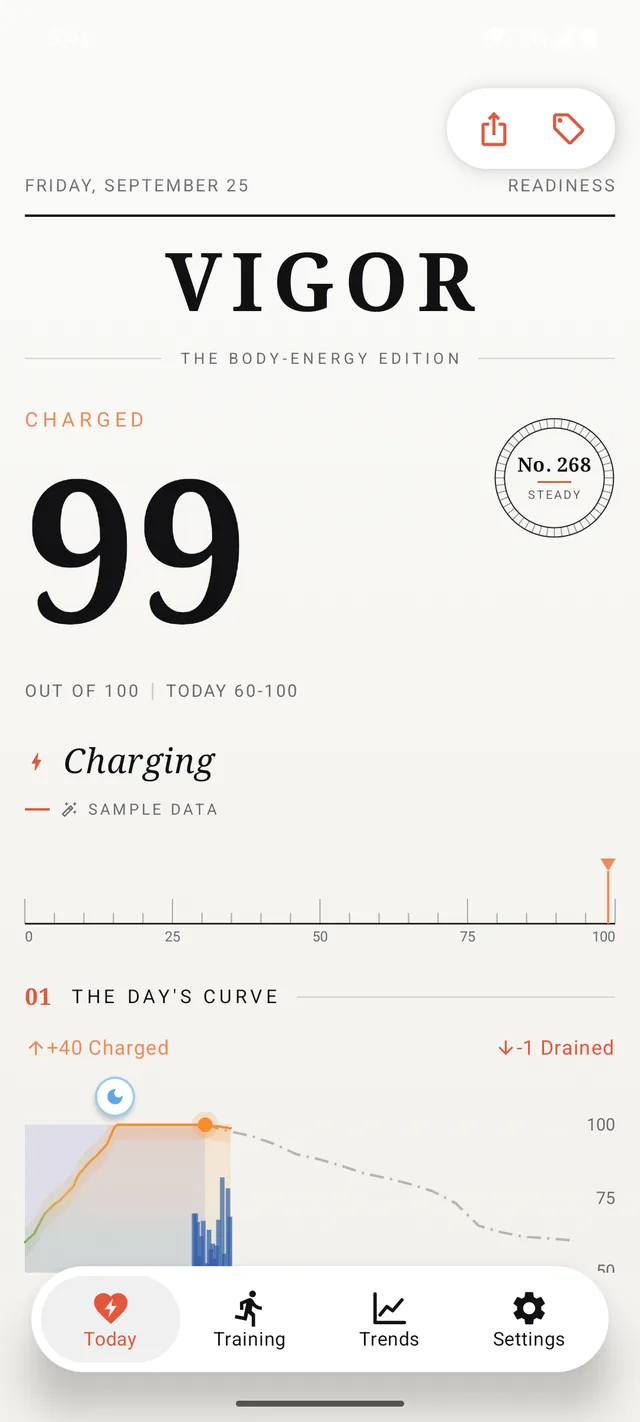
Reads your history. On first run Vigor reads about two months of your health history - from Apple Health on iPhone, or Health Connect on Android - to learn your personal baseline, so you get a real score right away.
Sets a morning level. Overnight it works out how well you recovered, gives you a readiness score, and starts your day's curve there.
Charges and drains through the day. Your heart rate, activity, and even naps move the number up and down. It is a running balance, like a battery for your body.
Learns your rhythm, not a textbook one. The same heart rate means different things at 6am and 5pm, so Vigor measures the hour-by-hour rhythm your own body keeps and judges every reading against that.
Vigor computes everything on your phone and your health data never leaves your own devices. No account, no Vigor server, no analytics - on Android the app does not even ask for internet access. The only thing you can choose to share is your energy score with friends, through the opt-in Circles feature on iPhone, via your own iCloud - the developer runs no server and cannot read it. Read the full Privacy Policy. Questions? See Support.